Forge a monster
Create a homebrew monster with a full stat block, and let the Monster Forge do the arithmetic.
The Monster Forge is where you write your own monsters. You fill in what makes the creature yours; it works out the modifiers, proficiency, hit points, challenge rating and XP.
Before you start: you need to be signed in, and forging monsters needs the Companion tier or above.
Create the monster
-
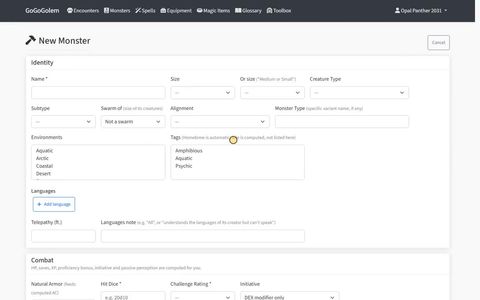
Open Monsters in the app's menu and select New Monster.
-
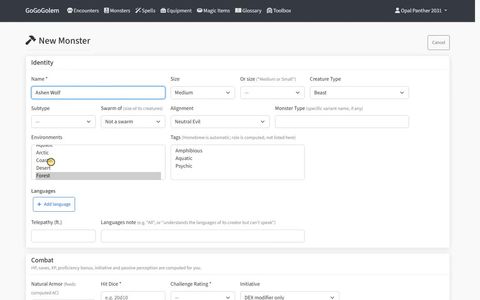
Fill in Identity: the Name (required), size, creature type, alignment, the environments it lives in, tags and languages. Environments and tags are what the monster list and the Encounter Builder filter on.
-
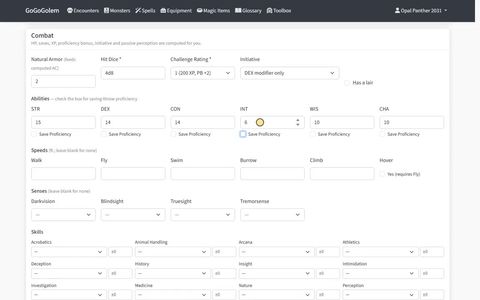
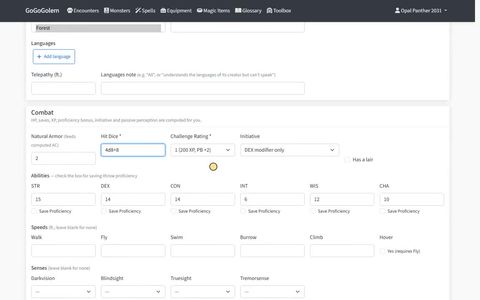
Fill in Combat: Hit Dice and Challenge Rating are required. Add natural armor if it has any, then the ability scores, speeds, senses and skills.
-
Add the rest as your monster needs it:
- Defenses, such as condition immunities.
- Gear it carries.
- Spellcasting, if it casts spells: tick This monster casts spells, pick the ability, then Add spell for each one.
- Traits and actions. For each action you can set the attack, damage, saving throw and area, and the form composes the sentence the stat block will show.
- Legendary Action Economy, for a legendary monster.
-
Save it:
- Create saves it as finished.
- Save as Draft keeps it as a work in progress. Open it again later to finish it and save it.
The monster's stat block opens, written out the same way as the SRD monsters.
Next steps
- Use it in an encounter. Your monster is in the monster list under the Encounter Builder, so you can generate an encounter and add it by hand.
- Make a variant. Open your monster and duplicate it. A duplicate starts as a draft, so finish and save it once you are happy with it.